
Add a GRO Index Source Citation to an Event and optionally create the event and or set the fields.
This version is derived from 'Add GRO Index Source Citation' V1.0 by Mike Tate which in turn was derived from 'Add GRO Source' V1.3 by Jane Taubman.
The primary difference is the dynamic behaviour of the UI and awareness of the changes in the GRO index information over time. Also, it provides the ability for user definable formats for the GRO Index citation using auto-text style fields. The formats can also specify a date range the format applies to, so they are auto-filtered in the format selection list for convenience. The plug-in comes with a default set of formats which can be modified or replaced as desired.
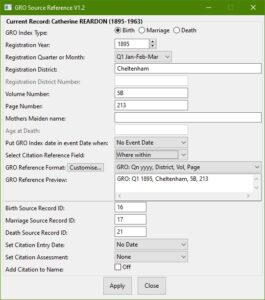
The main dialog is very similar to that of 'Add GRO Index Source Citation', with some fields separated out from the original and some new fields added.
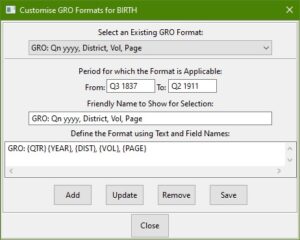
 The format customisation dialog, shows the formats defined for the current register type selected, and allows addition/update/removal of them. Saving causes the plug-in settings to be saved immediately (which includes the formats) rather than waiting for a citation to be applied on the main dialog.
Family Historian Version(s): V7
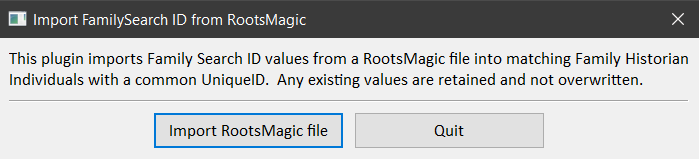
This plugin recovers FamilySearch ID values from a RootsMagic database that are otherwise discarded when the database is imported into Family Historian 7. Family Historian does not display FamilySearch ID values by default. The recommended method for viewing the data is to customise the main tab of the Property Box. Note that Family Historian does not currently synchronize with FamilySearch.
Family Historian Version(s): V7

Moves PAF Tagged Notes to associated Fact Data References, moves _UID & _AKA UDF, and mends Date Phrase dates. See the Help and Advice for full details. Ensure there is a suitable backup before running this plugin.
Family Historian Version(s): V5 V6 V7

This plugin improves many features of the Family Historian HTML pages created by the Publish menu Websites & Family Tree CD/DVDs... wizard. Most of the features can be added and removed by enabling and disabling their associated options.
Family Historian Version(s): V5 V6 V7
Update Keywords for a selection of Multimedia Object records. Existing used keywords are shown alphabetically, with counts, and the user can add further keywords. Then the user selects one or more keywords to be added to the selection of multimedia records, replacing any existing keywords on those records. If the plugin was started without selecting the required Multimedia records, the user is prompted to make a selection. The updated records are displayed as a Result Set.
Family Historian Version(s): V5 V6 V7
This plugin is for the use of language pack authors only, for testing language plugins. Instructions for using it are stored in the plugin itself, just below the header. Currently it only tests the FH_GetDateText entry point. However in the future it could be extended to test any entry point.
Family Historian Version(s): V7
Find all the citations to a Source and list the items below using a result window. * Citation * Record * Fact * Entry Date * Where within source * Text From Source * Quality Assessment * Note
Family Historian Version(s): V5 V6 V7
Lists all media, which is linked to the individual or the Family as Spouse of the Individual or Sources linked to the Individual. To quickly view in the media window, from the result set, hit CTRL-A to select all fields and then select View Selected Records from the drop down on the media button. N.B Only media records are listed, locally attached media is not shown.
Family Historian Version(s): V5 V6 V7

This lists both Name Only and linked Individual fact witness details including the Role, Source and Note together with the Fact Principal and Witnessed Fact description. An initial Select Individual Records dialogue allows any set of Individuals to be searched to discover their Fact Witness Roles. Name Only witnesses are always listed even if no Individuals are chosen by selecting the Cancel option when selecting Individuals.
Family Historian Version(s): V6 V7
Creates a Result set listing all witness links for the principals of a fact. This can be used by highlighting some or all of the Witness column and pressing delete to remove witnesses to their own events. This is useful as a witness sentence is used in preference to a fact sentence, but imported data may include these links, but the sentence is not required in reports.
Family Historian Version(s): V7

Searches selected people for chosen BMD Records and produces a web page to invoke searches of online websites for any missing records. It offers BMD Records for England, Scotland, Wales, British Isles, Ireland, USA, Canada, Australia, New Zealand, Germany, Denmark, Norway, Sweden and Worldwide. Supports Ancestry, FindMyPast, FamilySearch, MyHeritage, and FindAGrave online research websites. Estimated BMD dates are used, where none are recorded. Women's married names are used where the event is after the marriage date (or after the birth of the first child). See the Help & Advice for details.
Family Historian Version(s): V5 V6 V7
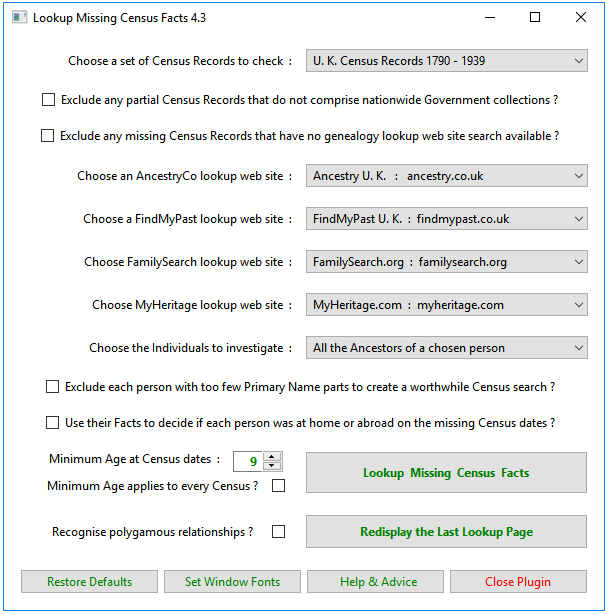
Offers ways of looking up missing Census Records for UK, USA, Ireland, Canada, Australia, Germany, Denmark & Norway via online websites. Supports Ancestry, FindMyPast, FamilySearch, and MyHeritage online research websites. Individual facts, Family facts, Witnessed facts, and various other factors are taken into consideration. Estimated BMD dates are used, where none are recorded. Women’s married names are used where the Census is after the marriage date (or after the birth of the first child). See the Help & Advice for details.
Family Historian Version(s): V5 V6 V7
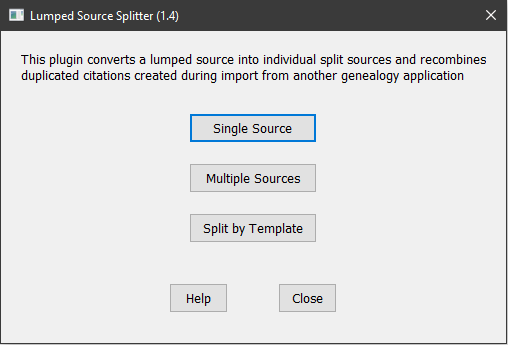
This plugin converts a lumped source into individual split sources and recombines duplicated citations created during import from another genealogy application. Sources can be processed individually or in batches, and can be conventional Generic Sources or Version 7 Templated Sources. All citations, media, notes, etc. attached to individual citations are moved to the new split source. When used with Templated Sources, split sources are linked to a new template where previous citation level data fields have been moved to source level.
Family Historian Version(s): V7
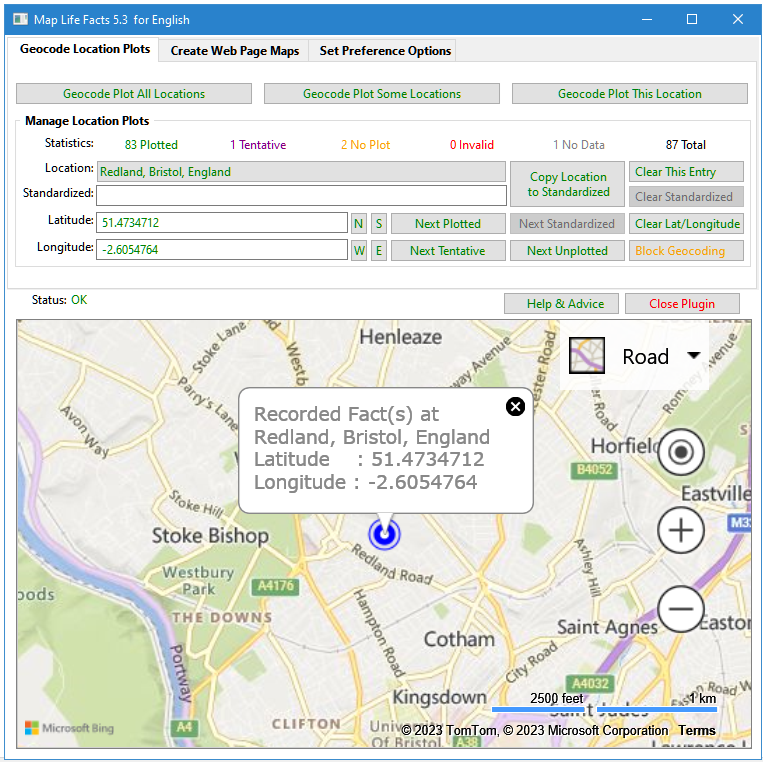
A mapping tool that can sync with Place records and create maps on web pages that display locations for each person's life facts. Mapped data may be saved in a Plugin Data file, or as part of your Project GEDCOM, in Source, Repository or Place records. Place and Address fields are supported. Maps can be filtered on Living & Private flags. The map files can integrate with FH generated web pages. See the Help & Advice for details. For further support please post in the Family Historian User Group forums or Family Historian at Groups.io email where the plugin author will answer your questions which can be supplemented with screenshots if necessary.
Family Historian Version(s): V5 V6 V7

Reports Families with marriage dates, calculating the Marriage length taking into account, deaths of partners and divorce. Please note where there are no death dates, Estimated Death values are used and can result in long marriages.
Family Historian Version(s): V5 V6 V7

This is for Projects imported from other products that use Census (family) Events, where it may be desirable to convert them to two Individual Census Events instead. Two Individual Census Events with a common Source Citation are better supported, as explained in the FHUG Knowledge Base Recording from a Census Record article. See the Give Witnesses Their Own Facts plugin that may need to be run first. Before running the plugin, ensure there is a suitable backup in case the changes are unsatisfactory.
Family Historian Version(s): V5 V6 V7