
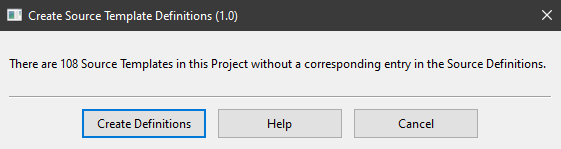
This plugin creates Source Template Definitions from Source Templates generated directly within Family Historian or imported from another compatible application such as RootsMagic. This enables the Source Templates to be used in all Projects, not just the one in which they were created or imported. The latest version of the plugin incorporates minor improvements to the user interface, plus full support for templates containing Unicode characters.
Family Historian Version(s): V7
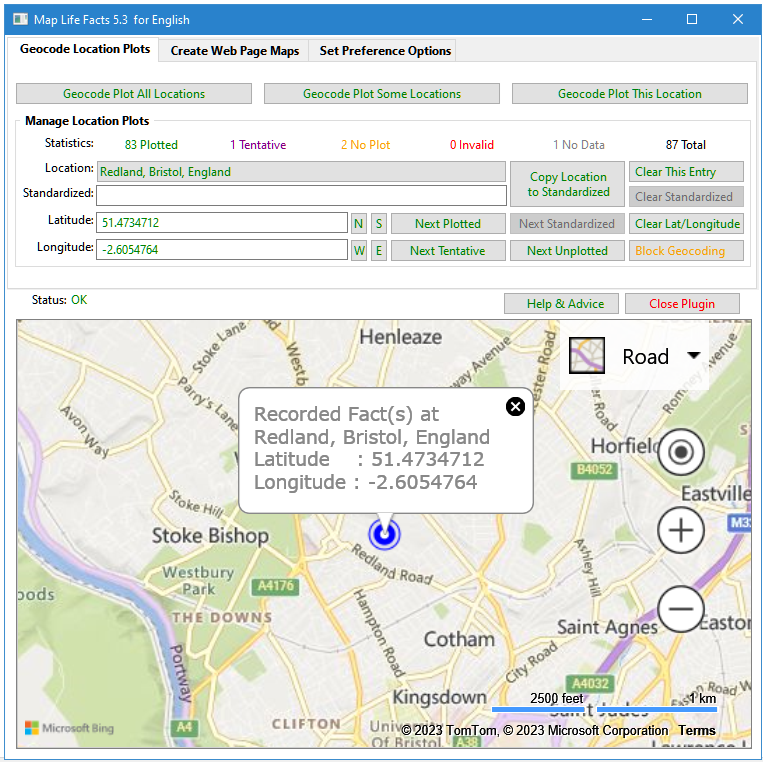
A mapping tool that can sync with Place records and create maps on web pages that display locations for each person's life facts. Mapped data may be saved in a Plugin Data file, or as part of your Project GEDCOM, in Source, Repository or Place records. Place and Address fields are supported. Maps can be filtered on Living & Private flags. The map files can integrate with FH generated web pages. See the Help & Advice for details. For further support please post in the Family Historian User Group forums or Family Historian at Groups.io email where the plugin author will answer your questions which can be supplemented with screenshots if necessary.
Family Historian Version(s): V5 V6 V7
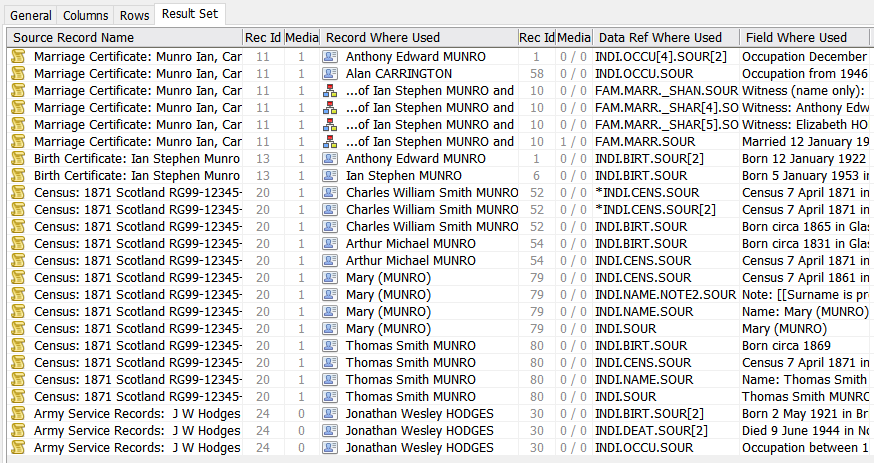
This generates a Result Set listing where any Records are used, similar to the View > Record Links… command, Tools > Work with Data > Places… > Where Used… button, and List All Citations for a Selected Source plugin. However, this plugin supports all Record Types, for any selection of Records, and lists details of the explicit Where Used fields appropriate for the Record Type. If the same Record is used in the same place twice, the Data Ref Where Used is marked with an asterisk. If a Record is linked from a rich text Record Link, the Data Ref Where Used is marked with an @ sign. Records to analyse can be selected via a prompt dialogue or by preselecting them before running the plugin. See the Help page for full details. For further support please post in the Family Historian User Group forums or Family Historian at Groups.io email where the plugin author will answer your questions which can be supplemented with screenshots if necessary.
Family Historian Version(s): V5 V6 V7
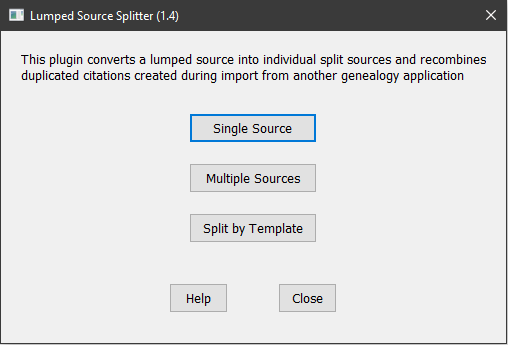
This plugin converts a lumped source into individual split sources and recombines duplicated citations created during import from another genealogy application. Sources can be processed individually or in batches, and can be conventional Generic Sources or Version 7 Templated Sources. All citations, media, notes, etc. attached to individual citations are moved to the new split source. When used with Templated Sources, split sources are linked to a new template where previous citation level data fields have been moved to source level.
Family Historian Version(s): V7

This plugin is complementary to the Change Specific Fact Tag plugin. Instead of changing a specific single fact, this plugin allows selected instances of a defined tag to be changed or deleted in bulk. The plugin allows any Individual Fact, or Family Fact, or Level 1 Tag, to be deleted or changed. It supports all Standard Facts, Custom Facts, Defined GEDCOM Tags and UDF Tags (including Project-only Fact Sets). Source data can be selected by Value, Date, Place or Records via Filters. When an Attribute is converted to an Event its Value is saved in a SOURce Note. When an Event is converted to an Attribute and an _UNCAT UDF exists, its value is moved to the Attribute Value. Corrects abnormal UDF Tag values, such as @@S99@@ record links. Allows confirmation of changes, keeps Log Files, creates Result Set of changes, and retains settings across all Projects. See the Help & Advice pages for more details and examples of use. For further support please post in the Family Historian User Group forums or Family Historian at Groups.io email where the plugin author will answer your questions which can be supplemented with screenshots if necessary.
Family Historian Version(s): V5 V6 V7

Exports GEDCOM and Media files in GEDCOM 5·5 or GEDCOM 5·5·1 format usually without FH non-standard tags, but with options for many genealogy product dialects. See the Help & Advice pages for further details that include advice on migrating to every product supported. For further support please post in the Family Historian User Group forums or Family Historian at Groups.io email where the plugin author will answer your questions which can be supplemented with screenshots if necessary.
Family Historian Version(s): V5 V6 V7

Shows list of recently updated records. Option to choose record type - Individuals, Families, Multimedia, Notes. Then options of 7, 14, or 30 days. Error in v2.0 fixed
Family Historian Version(s): V7
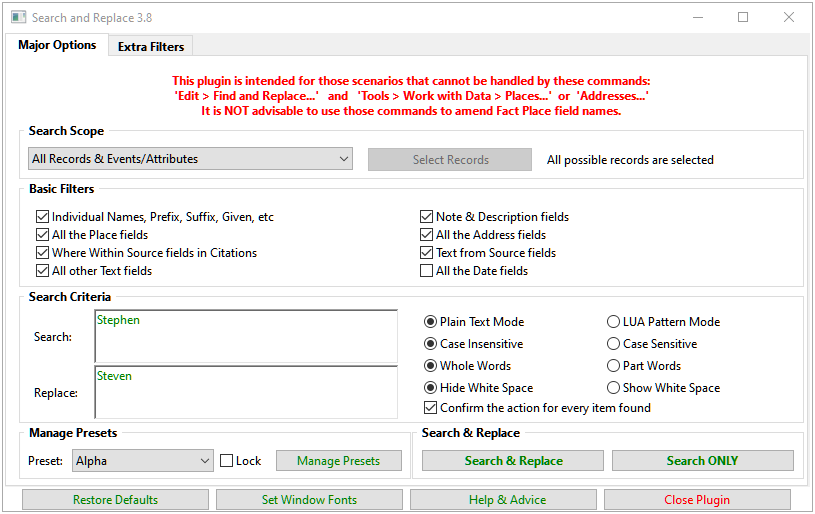
Searches for any text, age, or date values within the current project, and allows them to be replaced by new values, with an optional confirmation at each stage. On completion, all processed values are listed in a Result Set with links back to the record fields. Supports regular expression style Lua pattern matching. See the Help & Advice pages for full details. This plugin is intended for those scenarios that cannot be handled by these commands: Edit > Find and Replace... and Tools > Work with Data > Places... or Addresses... However, do NOT use Edit > Find and Replace... to change any Place field names as it will upset your Place records.
Family Historian Version(s): V5 V6 V7

The UniqueID (tag = '_UID') field for an Individual Record in a Family History application is intended to serve as a globally unique identifier for that individual as trees are exported and imported between different applications. Although most applications that support the UniqueID (e.g. Family Historian from version 7, RootsMagic, Legacy, My Family Tree) use the same basic method of calculation, there are a number of different formats in use that limit ready comparison of UniqueID values from different applications. This plugin provides a reversible conversion between the three main formats in common use (with or without checksum, and hyphenated or non-hyphenated).
Family Historian Version(s): V7
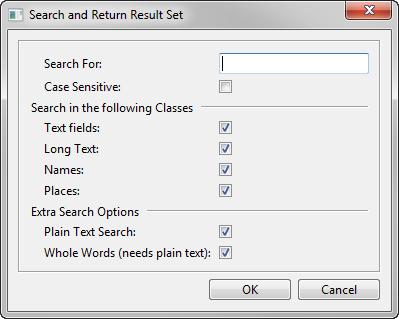
Search for a specified word or phrase in all text fields in the current project, with options to narrow the scope of the search. The matching fields are listed in a table in the Query Window result set, with links back to each context of use (double-click on any Item to view it in the Property Box).
Family Historian Version(s): V5 V6 V7

Allows any Address and Place comma-separated column parts to be re-arranged by mapping any source part to any target part. Any Address part that duplicates a Place part may be enclosed in [[privacy]] brackets to hide them in Reports. Otherwise, any Address part that duplicates a Place part, or Place part that duplicates an Address part, may be erased. It also allows the Address or Place fields to be right or left justified. A subset of Place records may be selected before running the plugin or a subset of Address & Place combinations may be selected via the plugin Input Filter tab.
Family Historian Version(s): V5 V6 V7
This plugin allows the entry of details about multiple individuals and creates records for them if needed, as well as recording census, occupation and birth facts. Where religion is recorded in the census, a religion fact is also created. Supports most surviving UK and Ireland Censuses. England and Wales 1841 - 1921 plus 1939 Register. Scotland 1841 - 1921. Isle of Man 1841 - 1921 (you should create an Isle of Man region). Channel Islands 1841 - 1921 (you should create a Channel Islands region). Ireland 1901 - 1911. (There was no census in Ireland or Northern Ireland in 1921). Note: The Welsh form was slightly different to the English one, so if the Location selected for the Census does not end in England or Wales in years where there was a difference, the plugin will prompt to ask if the English or Welsh form should be used.
Family Historian Version(s): V7

Reads a CSV file and creates people, adds facts and creates spouse and parent-child relationships in Family Historian. Columns in the CSV file can be mapped to the appropriate fields using an interface in the plugin - fixed column formatting or naming is not essential. See the online Help for additional advice. The plugin can optionally append a source to every entry, and can create different citation details (i.e. "Where within Source") for each line of the CSV. Within each row, for each individual, it is assumed that any references to a fact type relate to the same occurrence of that fact. Custom references can be used to identify the same individual in different rows of the CSV either to build a more complex tree or to allow for multiple occurrences of a fact type. The type of use intended when creating this was for the import of a variety of data that a one-name or place study might be interested in. For example, baptism transcripts that may include birth and baptism names, parental names and address all in one line. Custom references allow for individuals to be linked across lines of the CSV to create larger family records, e.g. where the same parents had multiple children baptised. This plugin is mostly intended for use in a new Project, but can link to individuals already present in the Project using their Custom Id or Record Id. Please check the import results carefully and report any bugs in the FHUG Plugin Technical Support & Development forum.
Family Historian Version(s): V5 V6 V7
This plugin is for the use of language pack authors only, for testing language plugins. Instructions for using it are stored in the plugin itself, just below the header. Currently it only tests the FH_GetDateText entry point. However in the future it could be extended to test any entry point.
Family Historian Version(s): V7

Backup and restore the Family Historian custom settings and preferences, including all Program Data Standard & Custom files and all relevant Windows Registry based settings. This handles all the Tools > Preferences... settings and all customisations of Diagrams, Reports, Queries, Fact Sets, Records Window Columns, Property Box tabs, Autotext, Source Templates, etc, that are not included in Project backups. See the Help & Advice pages for full details.
Family Historian Version(s): V5 V6 V7

This plugin displays a summary of statistics for the Project and reports any exceptional data in a Result Set after closure. The exceptions reported are not necessarily errors but may just be unusual details that need reviewing. The Options tab allows classes of exceptions to be excluded from the other tabs and the Result Set without needing to use Update Statistics. See the Help & Advice for further details.
Family Historian Version(s): V5 V6 V7